Contents Menu Expand Light mode Dark mode Auto light/dark, in light mode Auto light/dark, in dark mode Skip to content
PGB-1 User Manual
Light Logo Dark Logo
PGB-1 User Manual
Download PDFv1.3.0
  • Getting Started
    • Hardware Layout
    • Power & Charging
    • Navigation Basics
    • Rhythm Basics
    • Your First Project
  • Main Modes
    • Track Mode
    • Step Mode
    • Pattern Mode
    • Song Mode
    • Sample Mode
  • Deep Dive
    • LFO (Low Frequency Oscillator)
    • Live FX
    • Copy & Paste
    • Mixing
    • Arpeggiator
    • Projects
    • Importing Samples
    • Sample Tracks
    • Custom Waveforms
    • Shortcuts
  • Audio & MIDI
    • Audio Output
    • Audio Input
    • Sound Path
    • MIDI
  • System
    • Main Menu
    • Firmware Updates
    • Troubleshooting
  • Reference
    • Firmware Changelogs
    • Synth Engine Reference
    • Warranty & Support
Back to top
Edit this page

Main Menu

The main menu provides access to system functions, project management, and device settings.

Accessing the Menu

Press Menu to open the main menu.

Navigate with ← / → and select with A.

Menu Items

Projects

Save, load, create, delete projects
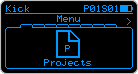
Projects Menu

Project Mixer

Per project settings of gains and audio levels for tracks and track effects. See Mixing.

Available from firmware 1.2.0
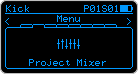
Project Mixer Menu

Custom Waveform

Draw and edit custom waveforms. See Custom Waveforms.

Available from firmware 1.2.0
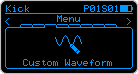
Custom Waveform Menu

Live FX Settings

Customize live sequencing and mixing effects. See Live FX.

Available from firmware 1.3.0
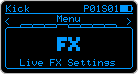
Live FX Settings Menu

Inputs

Configure audio inputs and FX.
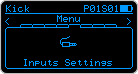
Inputs Menu

MIDI Settings

Configure MIDI input and output.
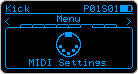
MIDI Settings Menu

Update Mode

Enter firmware update mode. See Firmware Updates.

Warning

Entering update mode will save the current project and reboot the device.
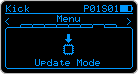
Update Mode Menu

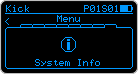
System Info

View device information:

  • Firmware version

  • Other system details

Useful for:

  • Checking if you need to update

  • Support requests

  • Troubleshooting

Update Mode Menu
Next
Firmware Updates
Previous
System
Copyright © 2025, Wee Noise Makers
Made with Sphinx and @pradyunsg's Furo
On this page
  • Main Menu
    • Accessing the Menu
    • Menu Items
      • Projects
      • Project Mixer
      • Custom Waveform
      • Live FX Settings
      • Inputs
      • MIDI Settings
      • Update Mode
      • System Info